Free
Free
+10 AI credits / day · up to 50
Free for as long as you like. 10 credits a day covers a few cards after each meeting.
Start freeScan with the camera or upload a whole PDF after a trade fair. The app reads Vietnamese, Japanese and English, detects country and industry, sorts cards into your groups, and answers when you ask "who works in Osaka?".
Put the card in the frame and shoot. The server finds the card edges and crops; adjust four corners if needed. Shoot card after card, both sides, without waiting.
Drop up to 500 images or PDF pages at once. Two consecutive pages inside one file become front and back. Uploading is all you wait for; recognition runs in the background.
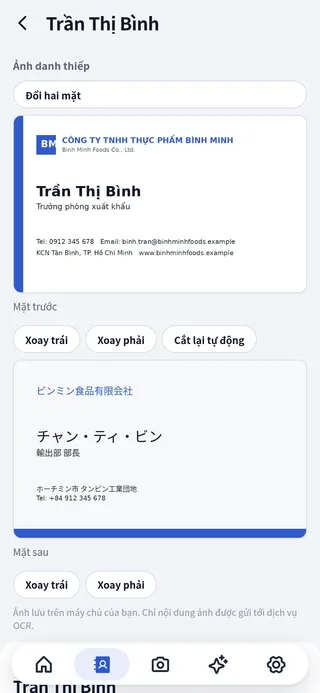
AI extracts name, company, title, extensions and multilingual addresses, then suggests country, organization type and industry with trilingual search keywords.
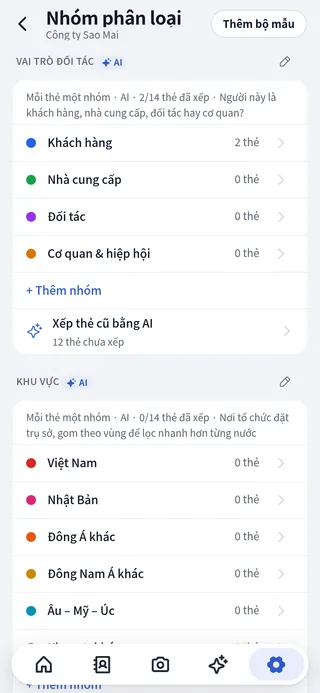
Customer or supplier, which region, which stage. Write the rules in plain words; AI sorts new cards as they are read and re-sorts old ones when you add a group.
"Who works in Japan?", "Which cards were added this week?", "Who has no email?". The assistant only reads your book and hands you the exact cards.
One address book for the whole team with owner, admin, member and viewer roles. Cards belong to the company and stay when people leave.
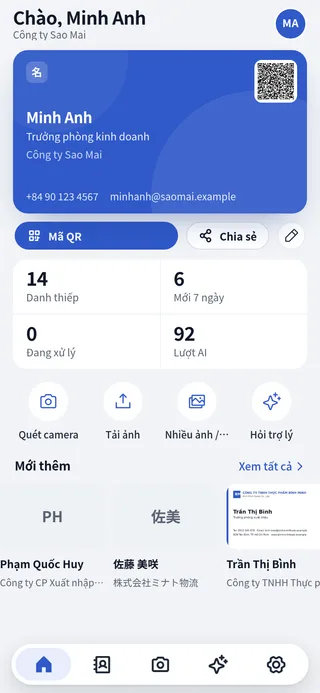
Enter your details once and show a QR code; the other person scans it with their camera and saves your contact. Or share a .vcf file.
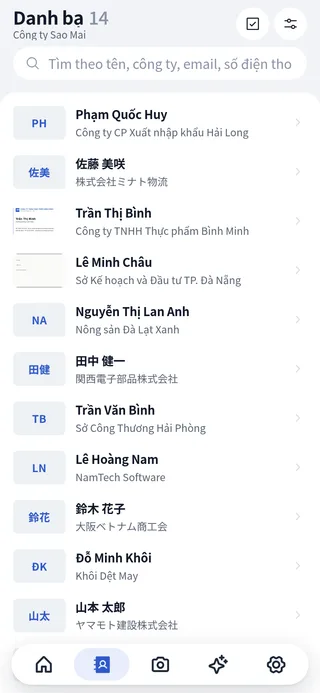
Type "bao hiem" and find the card that only prints "Nippon Life". Filter by country, industry, group, with or without image. Select many cards to group or delete at once.
One AI credit is one card read and classified. Credits are granted per period and accumulate up to the plan cap; technical errors are never charged.
Free
+10 AI credits / day · up to 50
Free for as long as you like. 10 credits a day covers a few cards after each meeting.
Start free1,500 JPY/year
+300 AI credits / month · up to 1,000
For steady scanners who are not in a hurry: cards are processed in the background within hours.
Contact usComing soon
+500 AI credits / month · up to 1,500
Instant processing and more credits for people who meet a lot.
Contact usComing soon
+1,000 AI credits / month · up to 3,000
Priority processing for hundreds of cards after every trade fair.
Contact usComing soon
+1,000 AI credits / month · per member · up to 3,000
5+ seats
One shared book for the company, a separate credit wallet per member.
Contact usYes, with no time limit. The Free plan receives 10 AI credits a day, accumulating up to 50. One credit is one card read and classified. Unused credits are kept up to the cap.
No. It runs in the browser on phones and computers and uses the device camera. Add it to your home screen to open it like an app.
Choose "Multiple images / PDF" and drop up to 500 images or PDF pages. Inside each PDF, two consecutive pages are paired as front and back; a one-page PDF is a single-sided card. You can turn pairing off so every page is one card.
Uploaded cards are kept in the queue and processed automatically when credits are granted again. Technical errors and retries never cost credits.
Each book is a separate space: images, data, groups and the assistant only see that book. The assistant is read-only; every change goes through a preview you confirm.
No credit card. Scan your first card in a minute and upgrade when you need more.